By Harsh Vats, who makes WOYM · Updated 25 October 2026 · 4 min read
A Free Online Journal
What to check before you trust an app with your diary, and how WOYM answers each question.
An online journal is a diary that lives in an app instead of a notebook. You get things paper can't do: it's on the phone you already carry, you can search years of entries in a second, photos and voice notes sit next to the words, and a lost phone doesn't mean a lost journal.
The trade-off is trust. A notebook in a drawer only has to survive your flatmates. An app means a company holds your most private writing, so it's worth asking a few questions first. Here they are, with WOYM's answers. I make WOYM, so check the answers against our privacy policy rather than taking my word for it.
1. What does the company do with my entries?
Look for three things in the privacy policy: no ads, no selling data, and no training AI models on your writing. If a free app has none of those promises, your entries may be how it pays for itself.
WOYM: no ads, no selling data, and entries aren't read by us or used to train AI. The AI features (dictation, Fix English and handwriting scanning) use Google's Gemini, and only what you give them at that moment goes to Google: your voice while dictating, or the text or photo you chose.
2. Is it encrypted, and how?
"Encrypted" can mean different things. Almost every app encrypts your entries on the way to its servers and on the disks there, which protects against outsiders. End-to-end encryption goes further: only your devices hold the key, so even the company can't read your entries. The catch is that if you lose the key, nobody can recover your journal.
WOYM: encrypted in transit and at rest, and not end-to-end encrypted. I would rather say that plainly than blur it. Access is limited to your account, and App Lock keeps the app shut behind Face ID, your fingerprint or your passcode.
3. Can I get my entries out?
Apps close down and you may want to switch. Check whether you can export, and in what format.
WOYM: any entry exports as a Markdown file, which opens in nearly every notes app. There's no one-tap export of the whole journal yet. Getting in is easier: you can import from Apple Journal or from Notion, photos and all.
4. Does it work without signal?
Planes, basements and trips abroad are often exactly when you want to write.
WOYM: yes. The journal lives on your phone and syncs when you're back online. You don't even need an account: you can start writing straight away, and turn on cloud sync later to back up and use the web version.
5. Is the free plan actually free?
Plenty of "free" journals cap your entries or lock search behind a subscription. Look at what the free plan leaves out before you put a year of writing into it.
WOYM: unlimited entries, search, tags, a mood on each entry, habits, the writing streak, entry backgrounds and App Lock are all free, along with 50 MB for photos, videos and audio. Premium adds unlimited storage, dictation, Fix English, handwriting scanning and sharing with as many people as you like. Prices are on the pricing section of the homepage.
Try it without signing up
Open WOYM and write. Your journal stays on your phone until you decide to back it up.
What it looks like day to day
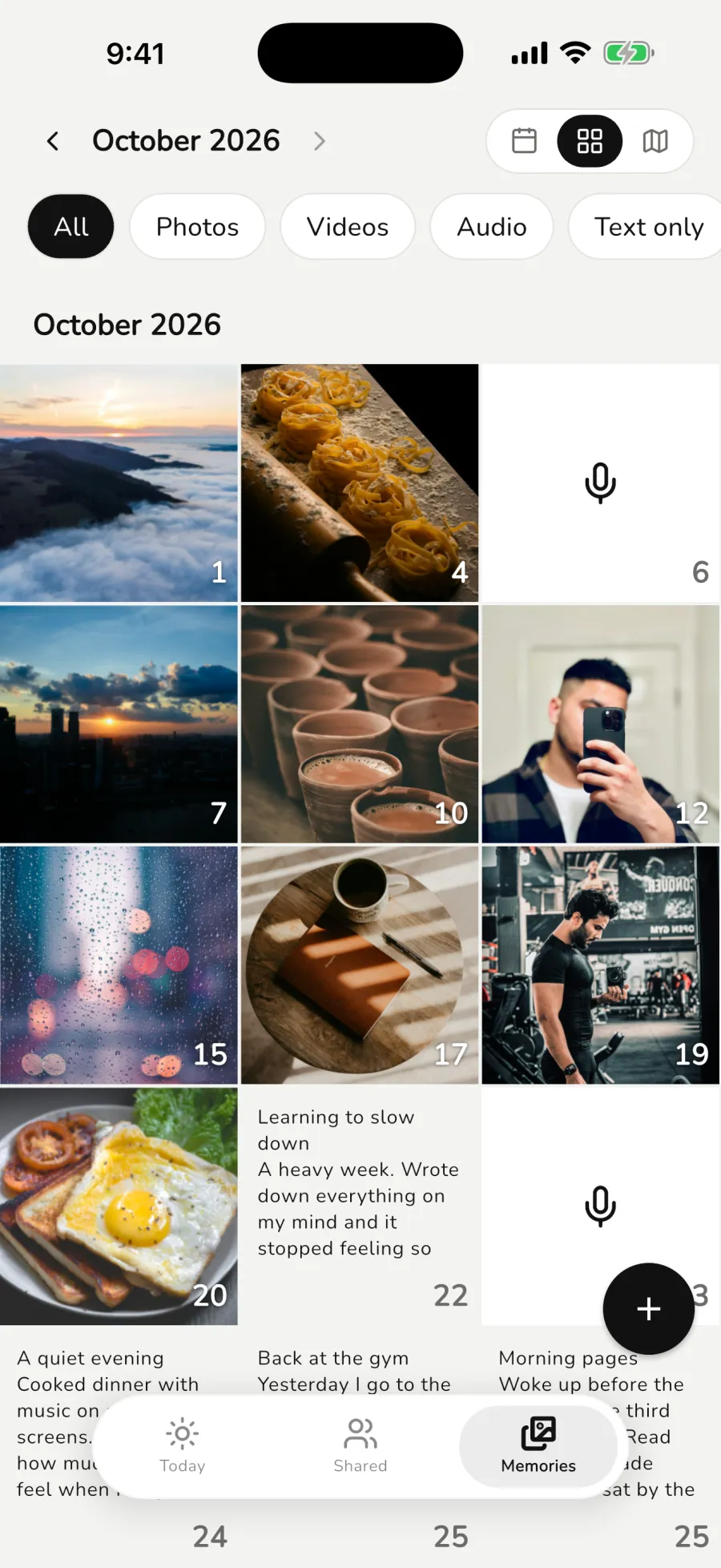
You open the app to Today: your habits, todos and today's entries. Writing an entry is one tap. Each entry keeps where you wrote it, so the Memories tab can show your month on a calendar, as a grid of photos and writing, or on a map.
You can share a single entry with someone by email and see when they've read it. Everything else stays private.
Online or paper?
If you love paper and you actually use it, keep using it. An online journal makes sense when the notebook keeps getting left at home, when you want to find things again, or when you want photos and voice notes in your entries. Some people do both: a pocket notebook for scribbles and an app for anything they'll want to find later. If you're just starting, read how to start a journal.
Questions people ask
Is an online journal as good as writing by hand?
For the benefits people journal for, the research mostly looks at the act of writing about your life, not the medium. Handwriting is slower, which some people like. Use whichever you'll keep doing.
Can I use it on my computer?
Yes. With cloud sync on, sign in at woym.app and your journal is there.
What happens if I delete the app without an account?
Your journal goes with it, because the only copy was on your phone. Turn on cloud sync before you switch phones.