Blog · November 27, 2026 · 8 min read
A Journal App for Android
WOYM on Android: a free, private diary for your phone and tablet, with moods, habits, voice notes, a lock and S Pen writing.
The best journal app for Android depends on three things: whether you want it free, whether you write on more than one device, and whether you want your diary kept private. WOYM is a free journal and diary app for Android phones and tablets. It has unlimited entries with photos, videos and voice notes, a mood for each day, habits, todos and a lock, with no account to make. It also runs on iPhone, iPad, Mac and Windows, and in the browser, so your journal is not stuck on one phone.
If you’re coming from an iPhone, one thing first: Apple Journal is not on Android. It’s on iPhone, iPad and Mac only. This post covers what to use instead, what each journal app on Android costs, and where WOYM falls short. I make WOYM, so read the comparison with that in mind.
Get WOYM on Google Play. It needs Android 11 or later.
What to look for in a diary app for Android
- A free plan you can live with. Check what’s capped: entries, photos, devices. The limit shows up a month in, after you’ve written a lot.
- A lock. Fingerprint, face or your screen lock, so a borrowed phone doesn’t mean a read diary.
- A way out. Export in a format other apps can open, so you can leave.
- Every device you write on. Many people have an Android phone and a Windows laptop or a Mac. A journal on the phone alone gets half the entries.
- Real privacy if it syncs. Encryption that keeps the company out of your entries, not only a password on the app.
- Tablet and stylus support if you have a Galaxy Tab or an S Pen. Plenty of apps are phone apps stretched wide.
A tour of WOYM on Android
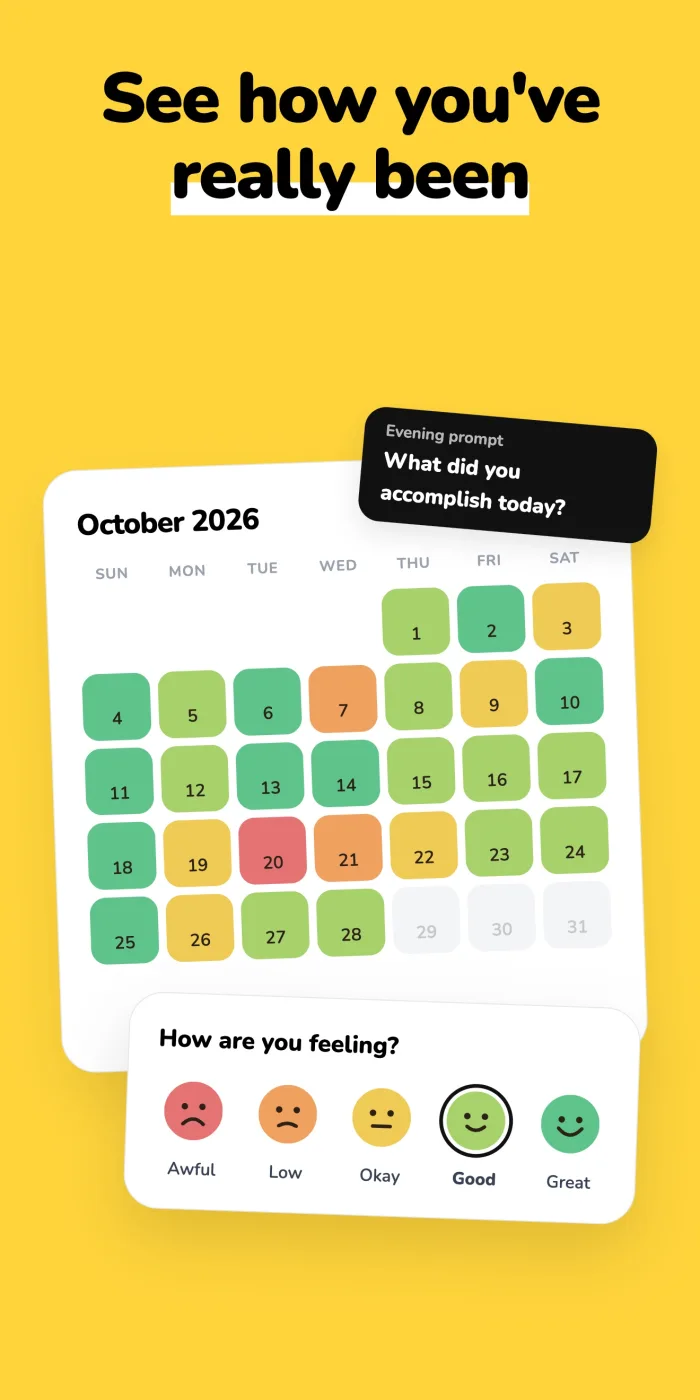
Moods and a look back
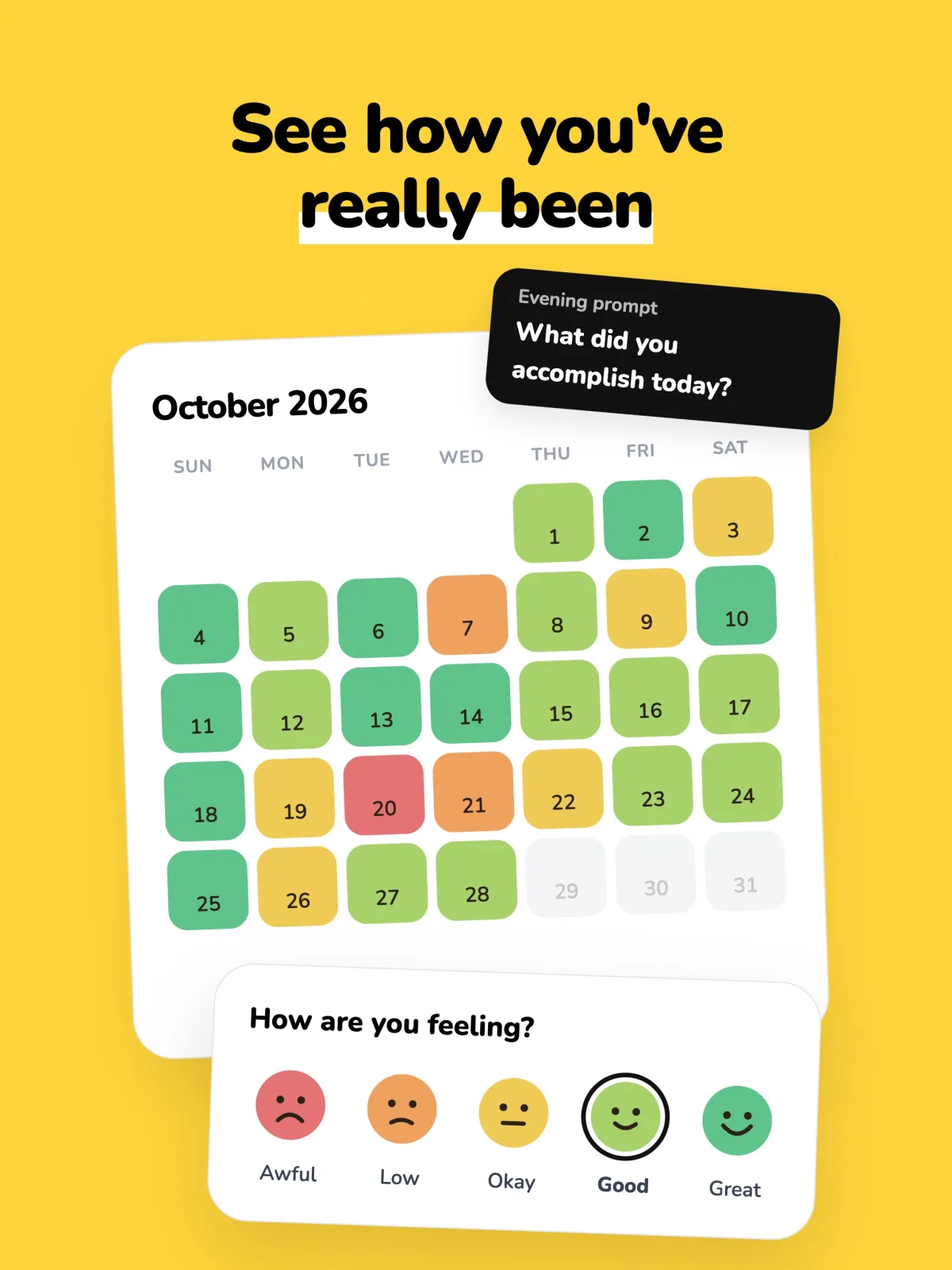
Every entry can carry a mood, from Awful to Great. The calendar colors each day by it, so you can see how a month went before you read a word. Each new entry starts with a morning or evening question you can answer or delete, for the days when nothing comes. There are more in our journal prompts.
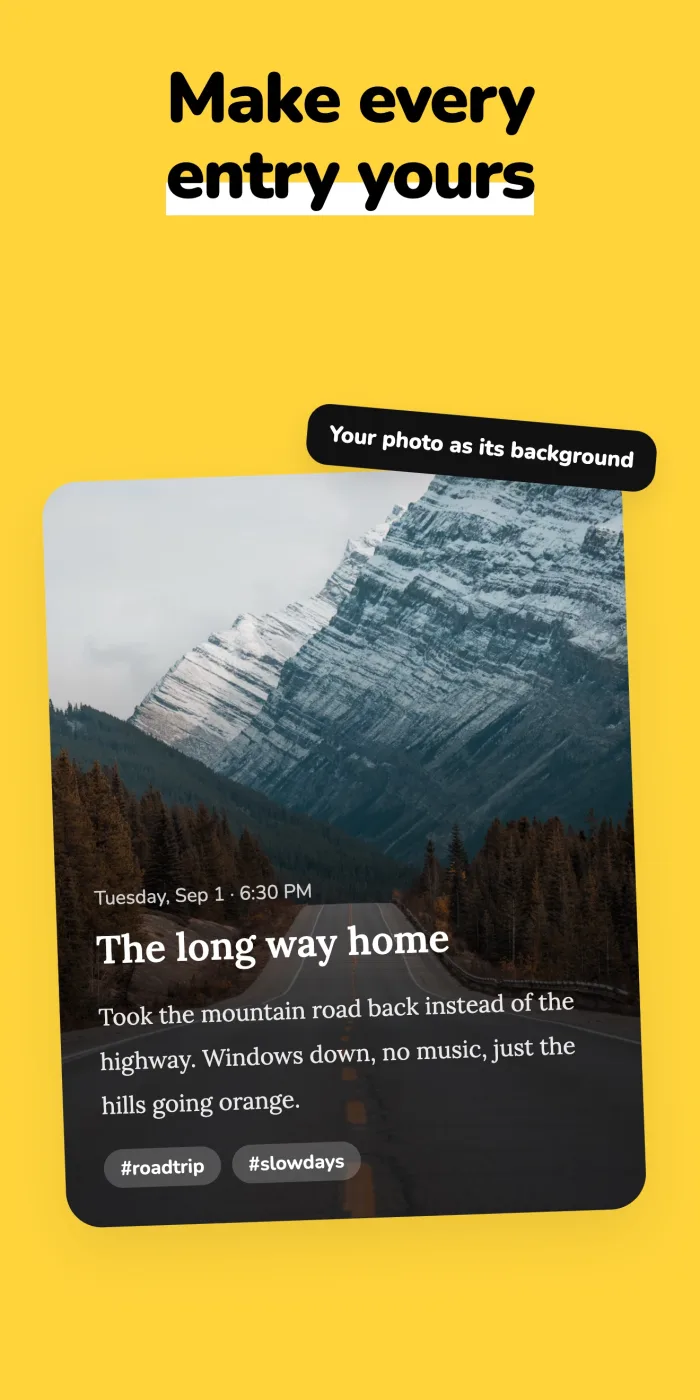
Make an entry yours
Add photos, videos and voice notes, pick a photo as the entry’s background, and add tags and a place. Entries are searchable, including by mood, tag and date.
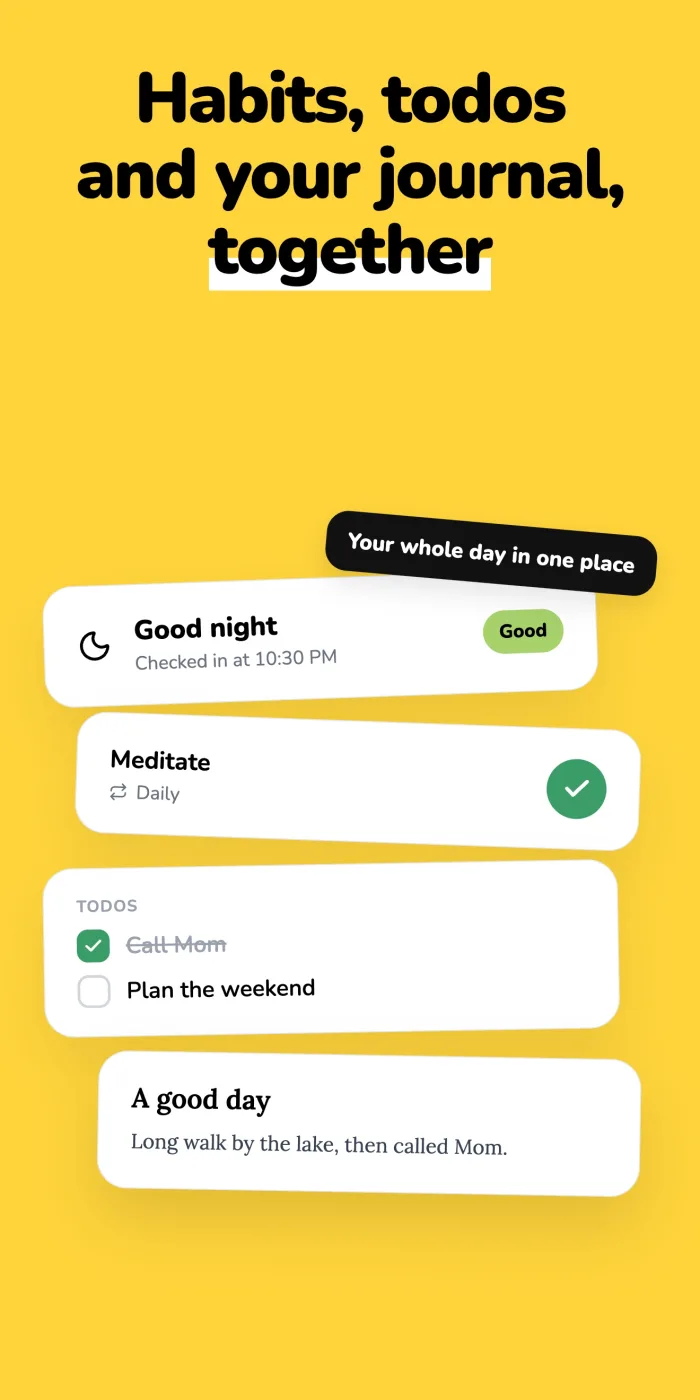
Habits and todos beside your journal
Daily and weekly habits and todos live in the same app, with reminders, so your journal and your list for the day are not two apps. The todo widget is on the Android home screen too.
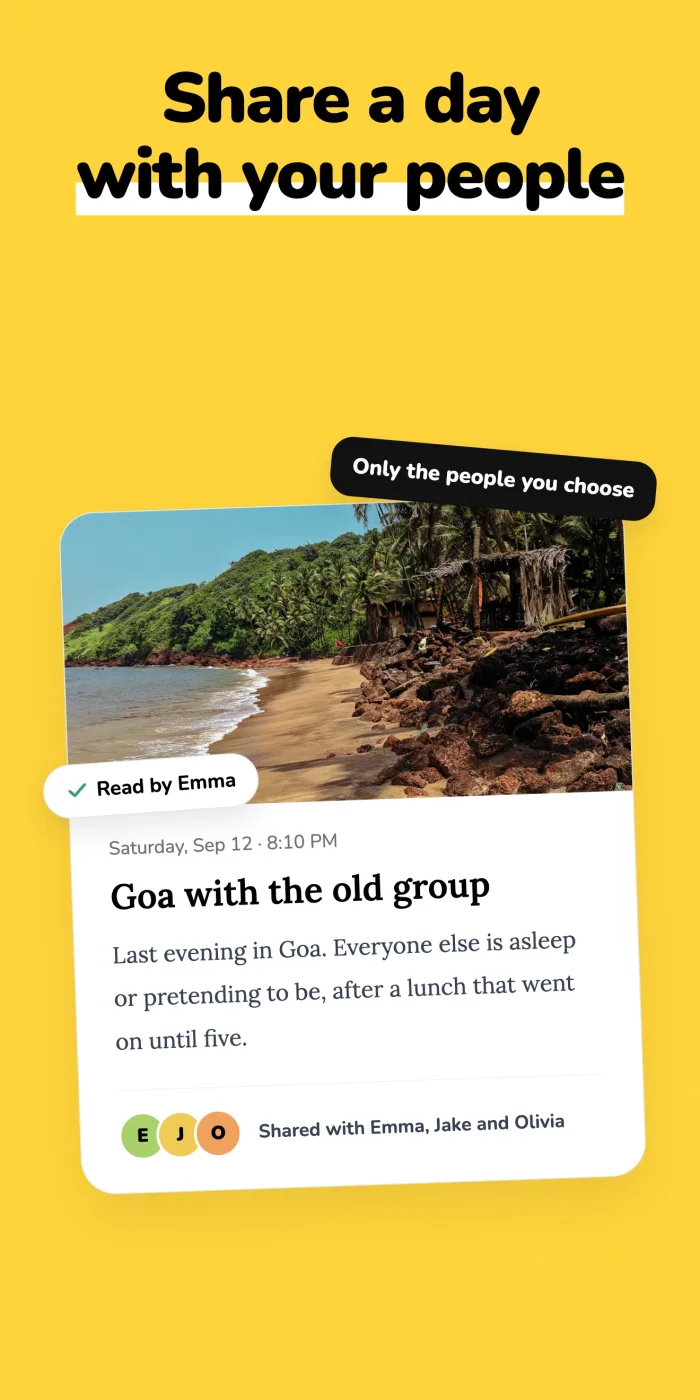
Share one entry, not the journal
Sometimes one entry is worth showing someone. WOYM shares that one entry with the people you choose and shows when they’ve read it. Sharing is part of Premium.
Polish your writing and talk instead of typing
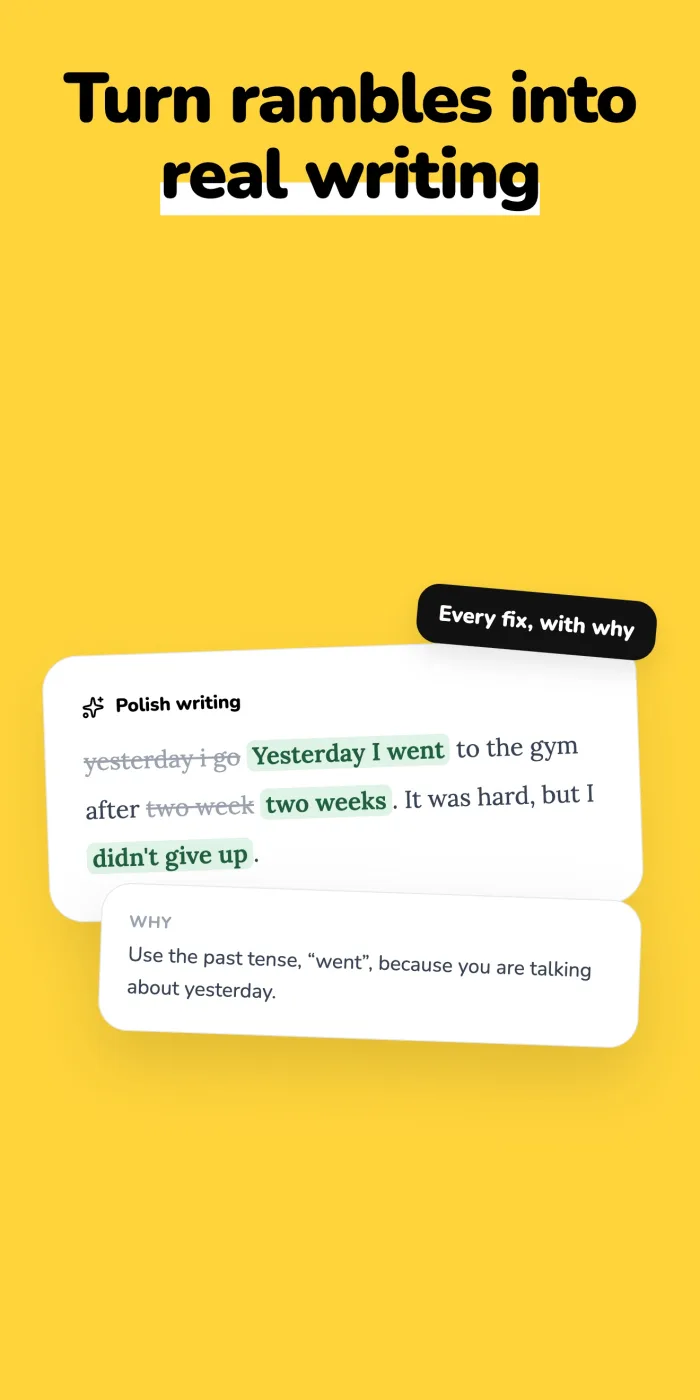
Premium adds Polish Writing, which corrects your entry and shows each fix with the reason, and dictation that types as you speak, in English, Hindi or a mix of both.
Your Journal, on Android
Free, with unlimited entries and no account. For Android 11 and later, and on iPhone, Mac and Windows.
A journal app for your Android tablet and S Pen
On a phone WOYM stays upright. On a screen 600dp or wider on its short side, such as a Galaxy Tab or an open Galaxy Fold, it turns with the device, like it does on iPad. Write on an entry with an S Pen, or any active stylus on Android 14 or later, and your handwriting is turned into typed text by the keyboard’s handwriting, as in Android’s own text fields.
With Premium you can also write by hand on a page: the S Pen writes with pressure, its button erases, and you get a pen, an eraser, four colors, three thicknesses, undo and redo. A handwritten page is an image, so it shows everywhere your journal does. You can read it on iPhone and iPad too, but to write on it again you need the device that made it. Separately, the handwriting tool on this site cleans up a photo of a paper page, free.
A private diary on Android
You don’t need an account to start. On the free plan your journal stays on your phone and never leaves it. Turn on App Lock in Settings and WOYM opens only with your fingerprint, face or screen lock, and it’s left out of the recent-apps preview. There are no ads, we don’t sell data, and your entries aren’t read by us or used to train AI.
If you sync with Premium, you can turn on end-to-end encryption: your entries, photos and voice notes are encrypted on your devices before they leave, with a key only your devices hold, so we store them but can’t read them. I wrote up how the encryption works. On the free plan the only copy is on your phone, so back it up: you can export one entry or the whole journal from the app.
One journal on your phone, tablet and computer
WOYM is on Android, iPhone, iPad, Mac and Windows, and in any browser at woym.app. With Premium, your journal backs up and syncs between them, so a line written on your phone is there when you open your laptop. Sign in on Android with Google or an email account; without Premium, each device keeps its own journal.
Moving from another app? WOYM imports a Day One, Notion or Obsidian export with Premium. If you used Apple Journal on an iPhone, the Apple Journal import is free; do the export on the iPhone, then bring the ZIP over.
WOYM and the other journal apps for Android
There’s no single best diary app for Android; there’s the one that fits how you write. The honest short version:
| App | Price | On Android | Worth knowing |
|---|---|---|---|
| WOYM | Free. Premium is optional | Phones and tablets, Android 11 or later | Unlimited entries, photos and voice notes free, no account. Sync, web version, encryption, dictation and S Pen handwriting with Premium. On iPhone, Mac and Windows too. |
| Day One | Basic is free; Silver $49.99 a year; Gold $74.99 | An Android app | Polished, on every platform, with encrypted journals. The free plan is one device; sync needs Silver; the AI features need Gold. |
| Journey | Free to start; paid is about $49.99 a year | An Android app, and on Windows and the web | Strong on maps and calendar views. The free plan has no cloud sync. |
| Diarium | A one-time purchase per platform | An Android app | No subscription, with habit and mood trackers. You buy it again on each platform. |
| Daylio | Free; Premium is paid | An Android app | A fast mood and activity tracker built around taps rather than long writing. |
| Google Keep, Samsung Notes | Free | Keep on any Android phone; Samsung Notes on Galaxy devices | Good notes apps, and Samsung Notes is great with the S Pen. Neither is a diary: no mood, prompts or yearly look back. |
If you want mood taps in ten seconds, Daylio is built for that. If you want the most polished paid journal and don’t mind a yearly fee, Day One is worth a look. If you want a free diary with no limits, a Day One alternative on Android that also runs on your Windows PC and Mac, and S Pen support, that’s WOYM. More in the best journal and diary apps and WOYM compared with the rest. Prices are from each app’s own pages and stores in November 2026 and can change by country.
Is there a free diary app for Android?
Yes. WOYM’s free plan has no time limit and no cap on entries, photos, videos or voice notes, and it includes moods, habits, todos, search, tags and App Lock. See the free diary app page for the full list.
Premium is optional. On Android you buy it on woym.app, not through Google Play, and sign in to the app with the same account. It’s priced by country, and the pricing section shows yours.
Start journaling on Android
- Get WOYM on Google Play. It’s free and needs Android 11 or later.
- Open it and write a few lines about your day. You don’t need an account.
- Turn on App Lock and a daily reminder in Settings.
New to journaling? Read how to start a journal, or try a gratitude journal, a dream journal or a travel journal. Questions? See the FAQ and help.
WOYM on your other devices: iPad, Mac, Apple Watch and Windows.
Questions people ask
What is the best journal app for Android?
It depends on what you need. Day One is the most polished paid option. Daylio is quick for mood taps. WOYM is free with unlimited entries, a lock, habits and S Pen support, and it also runs on Windows, Mac and iPhone.
Is there a free diary app for Android?
Yes. WOYM's free plan has no time limit: unlimited entries with photos, videos and voice notes, a mood for each entry, habits, todos, search, tags and App Lock, with no account and no ads.
Is Apple Journal available on Android?
No. Apple Journal is only on iPhone, iPad and Mac. If you're moving from an iPhone, export your entries and bring them into WOYM with the free Apple Journal import.
Does Day One work on Android?
Yes. Day One has an Android app. Its free Basic plan is limited to one device; sync needs Silver at $49.99 a year. WOYM is a Day One alternative on Android with a free plan that has no entry limit, and it can import a Day One export with Premium.
Is there a journal app for Android tablets and the S Pen?
Yes. WOYM turns with a tablet, and writing on an entry with an S Pen is turned into typed text. With Premium you can also write by hand on a page, with pressure, an eraser button, four colors and undo.
Is my journal private on Android?
On the free plan your journal stays on your phone, and App Lock opens it only with your fingerprint, face or screen lock. With Premium sync you can turn on end-to-end encryption, so only your devices can read your entries.
Can I use WOYM on my Android phone and my computer?
Yes. WOYM is on Windows, Mac, iPhone and iPad, and on the web with Premium. Sign in with the same account and your journal syncs.
Which Android versions does WOYM support?
Android 11 and later.