Blog · November 27, 2026 · 8 min read
A Journal App for Apple Watch
WOYM on your wrist: tap a mood, add tags, speak a few words, and the entry joins your private journal on iPhone.
The best journal app for Apple Watch depends on what you want from your wrist. If you want to log a mood in two taps, Apple’s own Mindfulness app does that. If you want a real diary entry, with the mood, a few tags, where you were and a sentence or two in your own voice, WOYM does that, and the entry lands in your journal on your iPhone. I make WOYM, so read the comparison with that in mind.
The catch with any journal on a watch: a 45 mm screen is for capturing, not for writing essays. The Watch app is how you note the moment. The phone is where you read and finish it.
What to look for in an Apple Watch journal app
- Fast. You should be able to log something in the time it takes to check a text. Fewer than five taps.
- Voice, not a tiny keyboard. Dictation is the only sensible way to write on a watch.
- Lands in your real journal. A mood log that lives only in a separate app is a dead end. The entry should show up with your other entries, searchable.
- Works when your phone isn’t near. A walk without your iPhone shouldn’t lose the thought.
- Private. A diary on your wrist should be as private as the one on your phone.
Voice journaling on Apple Watch with WOYM
WOYM’s Watch app is a check-in. It needs watchOS 10 or later and the WOYM app on the iPhone it’s paired with. Here is the whole flow, as it appears on an Apple Watch Ultra.
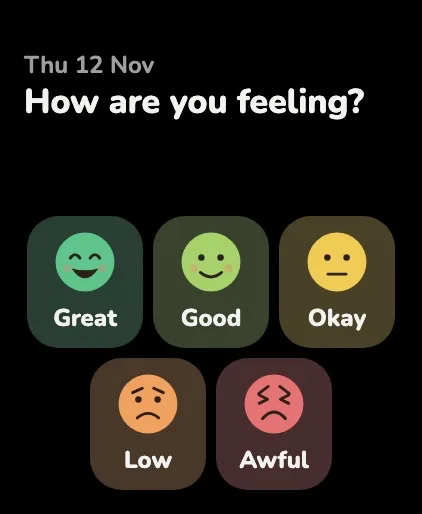
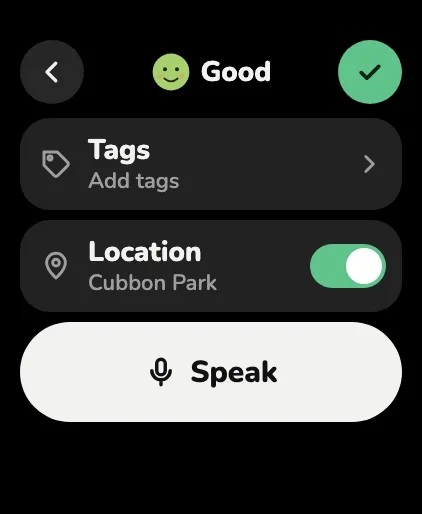
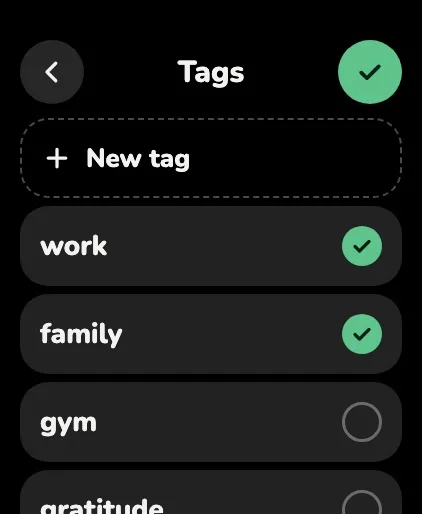
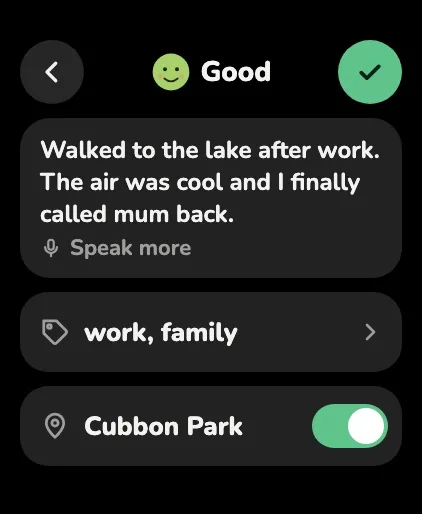
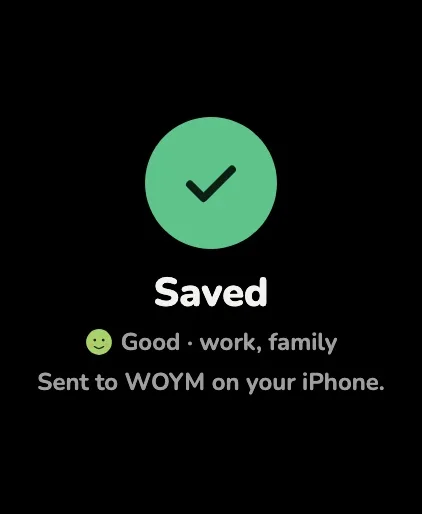
1. How are you feeling?
The app opens on five faces: Great, Good, Okay, Low and Awful. One tap on a face starts the entry. That alone is a mood tracker for Apple Watch that feeds the same mood calendar you see on your phone.
2. Tags, place and your voice
Next come three rows. Tags shows your own tags from the iPhone app, the most used first, and you can tick them or add a new one by voice. Location is on by default and names where you are, such as a park; switch it off and the Watch remembers. Speak opens Apple’s dictation, and your words appear as you say them. Tap Speak more to add another line.
3. Save
The green tick saves. You can also save with only the mood, no words at all. The Watch sends the entry to your iPhone, and it appears in WOYM with the mood, tags, place and text, like any entry you wrote there. If your phone is out of reach, the Watch queues the entry and hands it over when they connect.
On the phone, the entry becomes part of everything else WOYM does: search, a mood calendar, habits and todos, and the year in Memories. The iPad and Mac apps show it too. The Watch adds to the diary; it doesn’t keep a separate one.
What the WOYM Watch app doesn’t do
I’d rather you know before you install:
- It’s a check-in, not a reader. You can’t browse old entries on the Watch.
- It needs your iPhone. There’s no standalone Watch journal.
- Voice is Apple’s own dictation, so it’s as accurate as dictation on your Watch. WOYM doesn’t record audio on the Watch.
- No photos or handwriting from the wrist. Those are in the iPhone and iPad app.
Journal From Your Wrist
Free, with the Watch app included. Needs an iPhone and watchOS 10 or later.
Is a diary on your wrist private?
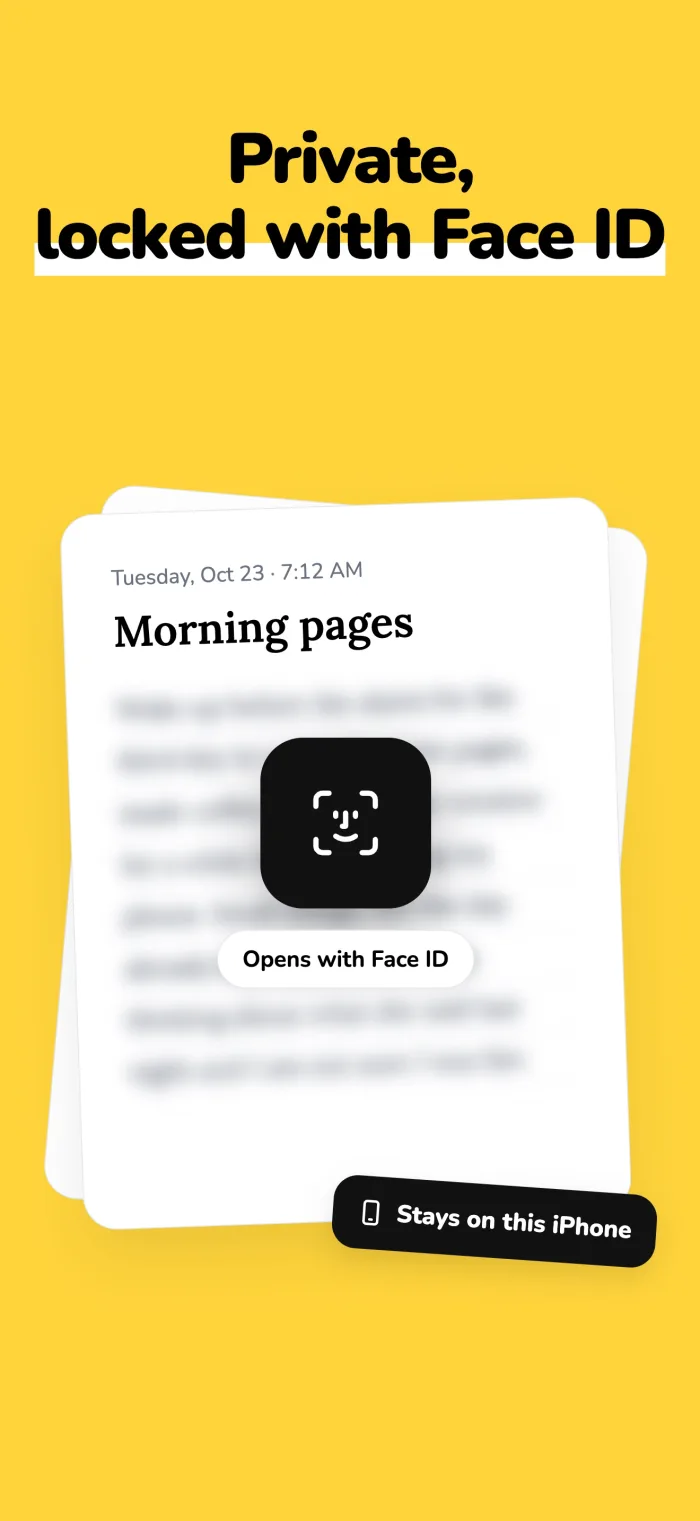
WOYM’s Watch app keeps nothing it doesn’t need. It holds your tag list and sends each entry to your iPhone, which is where your journal lives. On the phone, App Lock opens the diary only with Face ID or your passcode. With Premium sync you can turn on end-to-end encryption, so we can’t read your entries. There are no ads and no data selling. I wrote up how the encryption works.
WOYM and the other Apple Watch journal apps
There are fewer Watch journal apps than you’d think. Here’s where each one stands, from each app’s App Store listing and help pages in November 2026:
| App | Price | On the Watch | Worth knowing |
|---|---|---|---|
| WOYM | Free. Premium is optional | Check-in: mood, tags, place, spoken words | Needs the iPhone app and watchOS 10. Entries join your journal, which also runs on iPad, Mac, Android, Windows and the web. |
| Apple Mindfulness (State of Mind) | Free, built in | Log a mood or the day's overall feeling | Saves to Health, not to a journal, and has no text. Good for a mood log; it isn't a diary. |
| Apple Journal | Free | No Watch app that I could find | iPhone, iPad and Mac only, and Apple devices only. |
| Day One | Basic is free; Silver $49.99 a year; Gold $74.99 | Watch app: dictate short entries, check in a location | Day One's own page says audio recording on the Watch is Premium and transcription isn't available from the Watch. The most polished paid journal. |
| Stoic | Free with optional Premium | Watch app (watchOS 10) | A journaling and mental-wellbeing app with a Watch presence. Reviewers mention glitches with its quotes widget. |
| Daylio, How We Feel, Bearable | Free tiers; paid options vary | No Watch app in their App Store listings | Strong mood and symptom trackers on the iPhone. Check the listing before you rely on a wrist version. |
If you only want a quick mood log in Health, use Mindfulness. If you want long entries and AI, Day One is worth its price. If you want a free diary that treats a Watch check-in as a real entry, with your habits, mood calendar and a free plan with no account, that’s WOYM. More: the best journal and diary apps, WOYM vs the others and Apple Journal vs Day One.
Is the Watch app free?
Yes. The Watch app comes with the free WOYM iPhone app, and the check-in has no paywall. Premium is optional: it adds sync between devices, the web version, end-to-end encryption and live dictation in the phone app. Coming from another diary? WOYM imports Apple Journal for free and Day One with Premium.
Start journaling from your Apple Watch
- Install WOYM on your iPhone. The Watch app comes with it.
- Open the Watch app on your iPhone and make sure WOYM is installed on your Watch.
- On your wrist, open WOYM, tap a face, tap Speak and say one sentence.
One sentence a day is plenty. New to journaling? Read how to start a journal, try journal prompts for when you have nothing to say, or see what a gratitude journal looks like. Questions: FAQ and help.
Questions people ask
What is the best journal app for Apple Watch?
It depends on what you want to do on your wrist. For a quick mood log in Health, Apple's Mindfulness app is built in. For entries that join a real journal, WOYM lets you tap a mood, add tags and speak a few words, and saves it to your journal on iPhone. Day One also has a Watch app.
Can I voice journal on Apple Watch?
Yes. In WOYM, tap Speak and Apple's dictation turns what you say into text as you say it. Tap Speak more to add another line, then save with the tick. The entry goes to your iPhone.
Is Apple Journal on Apple Watch?
I couldn't find a Watch version of Apple's Journal app. On the Watch, Apple's Mindfulness app lets you log your State of Mind, which saves to Health rather than to a journal.
Does Day One work on Apple Watch?
Yes, Day One has a Watch app for dictating short entries and checking in a location. Per Day One's own page, audio recording on the Watch is a Premium feature.
Is there a free journal app for Apple Watch?
Yes. WOYM is free, and its Watch app comes with the iPhone app, with no paywall on the check-in. Premium is optional and adds sync, the web version and end-to-end encryption.
Is there a mood tracker for Apple Watch?
WOYM's Watch app opens on five mood faces: Great, Good, Okay, Low and Awful. One tap starts an entry, and the mood shows up in your mood calendar on the iPhone. Apple's Mindfulness app also logs State of Mind.
Does the Apple Watch app need my iPhone?
Yes. WOYM's Watch app needs watchOS 10 or later and the WOYM iPhone app. Entries are sent to the iPhone, and if it's out of reach they wait and are sent when you're back in range.
Can I read my old entries on the Watch?
No. The WOYM Watch app is for capturing: mood, tags, place and spoken words. You read and edit entries on the iPhone, iPad, Mac or the web.